 Alteris Docs
Anonymize documents before you share them
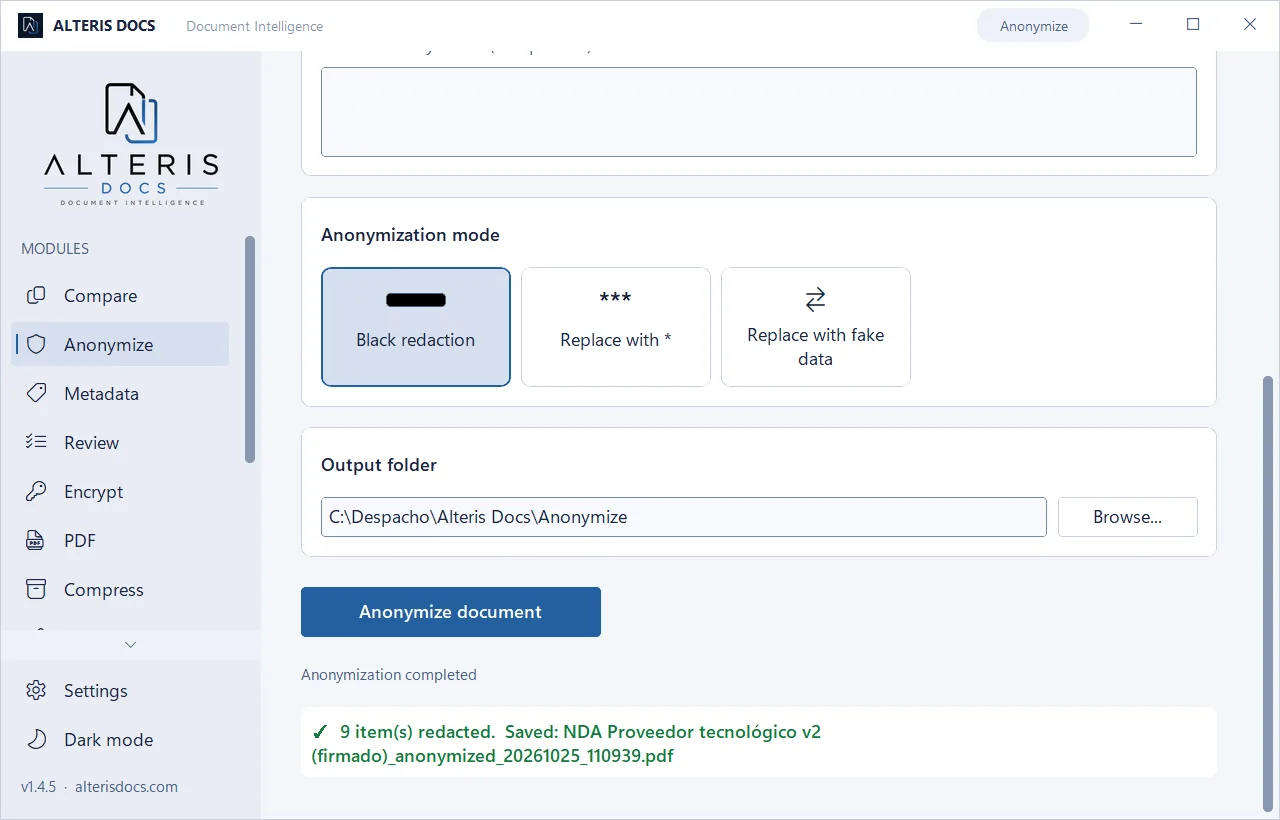
Alteris Docs finds the personal data in a PDF or Word file and blacks it out, replaces it with asterisks or swaps it for made-up data. Useful for filing documents in proceedings, sending a template to a client or complying with the GDPR.
Everything is processed on your PC: documents are never uploaded to any server.
What you can do
- Detects emails, phone numbers, Spanish ID numbers (DNI, NIE), passports, IBANs, social security numbers and dates.
- Names of people (with titles such as Mr. or Mrs.) and companies with their legal form (Ltd., S.L., S.A.…).
- Add your own words: the client's name, an internal reference, an address.
- Three modes: black-out, asterisks or made-up data that keeps the document readable.
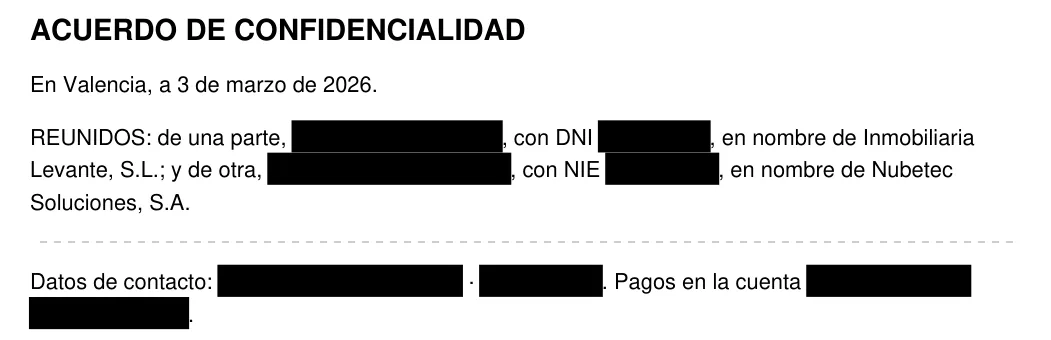
- In PDFs the covered text is removed from the file, not just hidden.
How it works
Choose the document
PDF or Word, from your computer or from the cloud.
Tick the data to hide
Turn on the data types and add your own words if needed.
Click Anonymize document
An anonymized copy is saved; the original is left untouched.
Frequently asked questions
Is drawing a black box over the text enough?
In a PDF, a box drawn on top leaves the text underneath and it can still be copied. Alteris Docs removes the text from the file in the covered areas.
Does it find everything automatically?
It finds data with patterns (ID numbers, IBANs, emails…) and rules for names and companies. Always check the result before sending it: a name without a title or a date written out in words may need to be added as one of your own words.
Which formats are supported?
PDF and Word (.docx) for the document text.
Other modules
Try it with your own documents
Windows 10 and 11. Free plan, no card required. Want to see the professional modules? Ask for a demo at info@alterisdocs.com.