 Alteris Docs
Compare two versions of a document, word by word
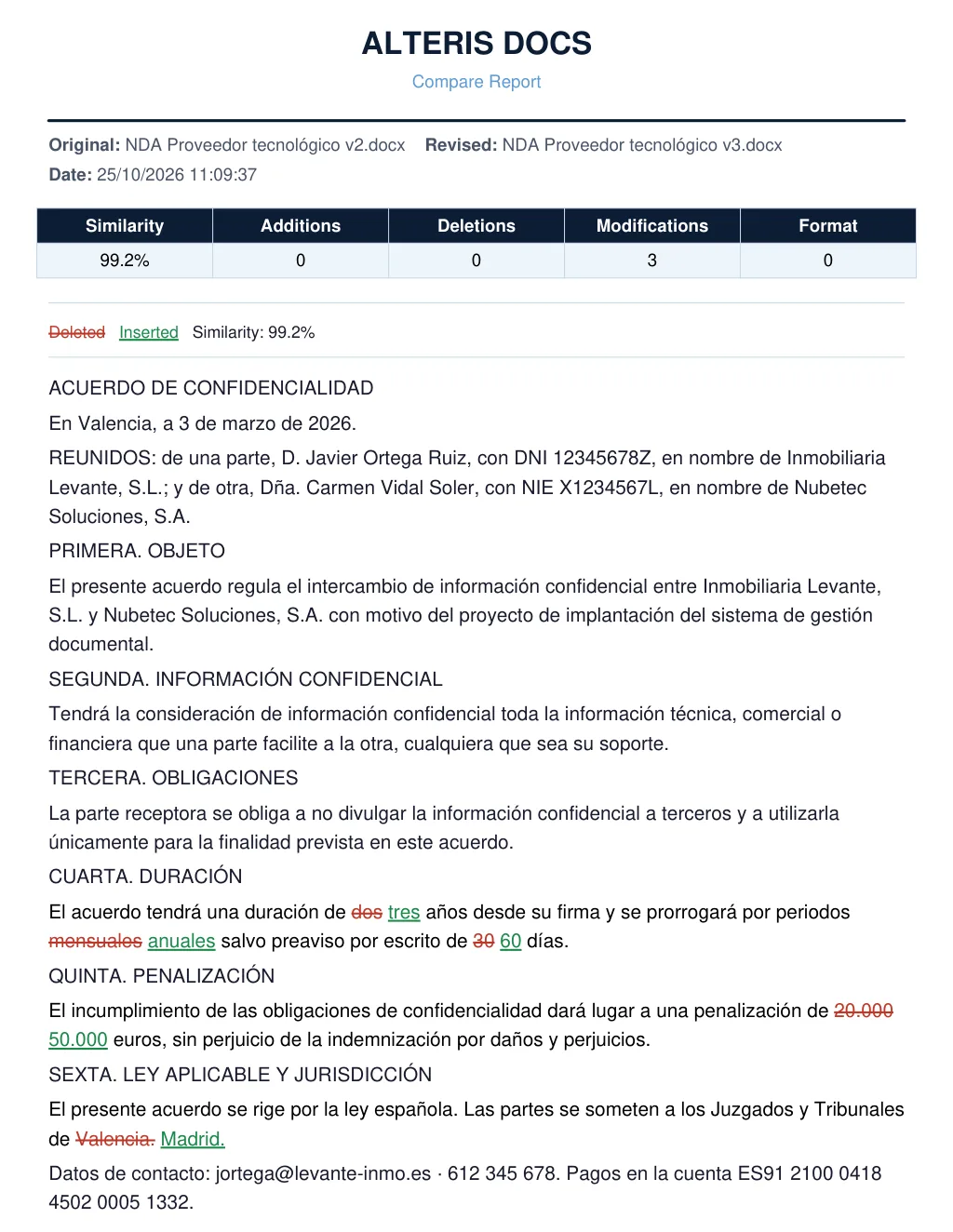
Choose the original and the revised version and Alteris Docs marks everything that was added, deleted or changed. It works with Word, PDF, PowerPoint and Excel, even across formats: a Word file against the PDF the other side sent back.
Everything is processed on your PC: documents are never uploaded to any server.
What you can do
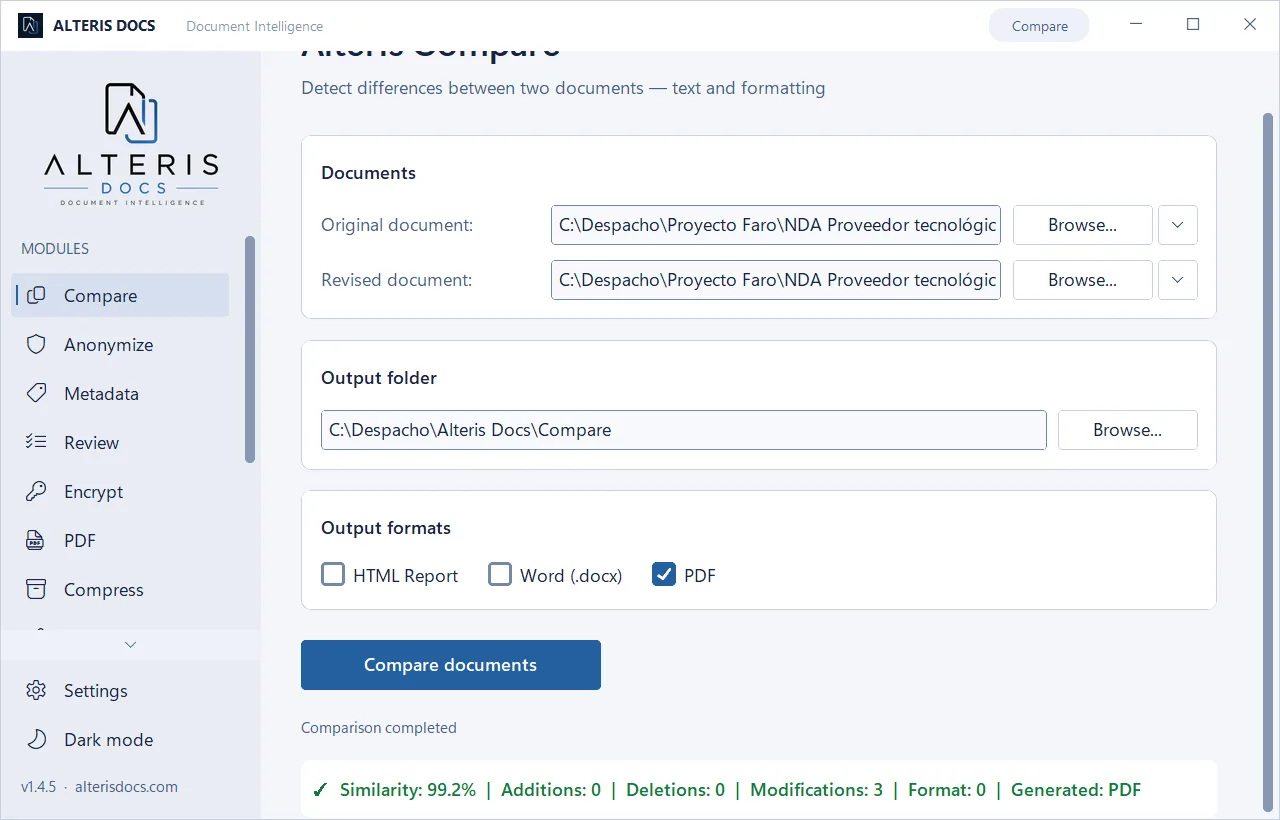
- Word-level differences, with deletions struck through in red and additions in green.
- Summary with the similarity percentage and the number of additions, deletions and changes.
- Report in PDF, Word or HTML to send or file with the matter.
- Compare files in different formats (Word against PDF, for example).
- Open documents straight from OneDrive, Google Drive or iManage Work.
How it works
Choose the two documents
Drag them onto the window or pick them with Browse: the original and the revised version.
Pick the report format
PDF, Word or HTML; you can tick more than one.
Click Compare documents
Within seconds the report is in your output folder, with every change marked.
Frequently asked questions
Can I compare a Word file with a PDF?
Yes. Alteris Docs extracts the text from each file and compares the content, so you can compare Word with PDF, or two files in the same format. Across formats the similarity percentage may drop slightly because of PDF line breaks.
Are my documents uploaded to a server?
No. The comparison runs on your computer; the documents never leave it.
Does it work with scanned PDFs?
The PDF needs a text layer. If it is a scanned image, run it through the OCR in PDF tools first.
Other modules
Try it with your own documents
Windows 10 and 11. Free plan, no card required. Want to see the professional modules? Ask for a demo at info@alterisdocs.com.