 Alteris Docs
Password-protect your documents before sending them
Protect a PDF with an open password or encrypt any file with AES-256: a payroll spreadsheet, a ZIP with a case file, a scanned deed. Only someone with the password can open it.
Everything is processed on your PC: documents are never uploaded to any server.
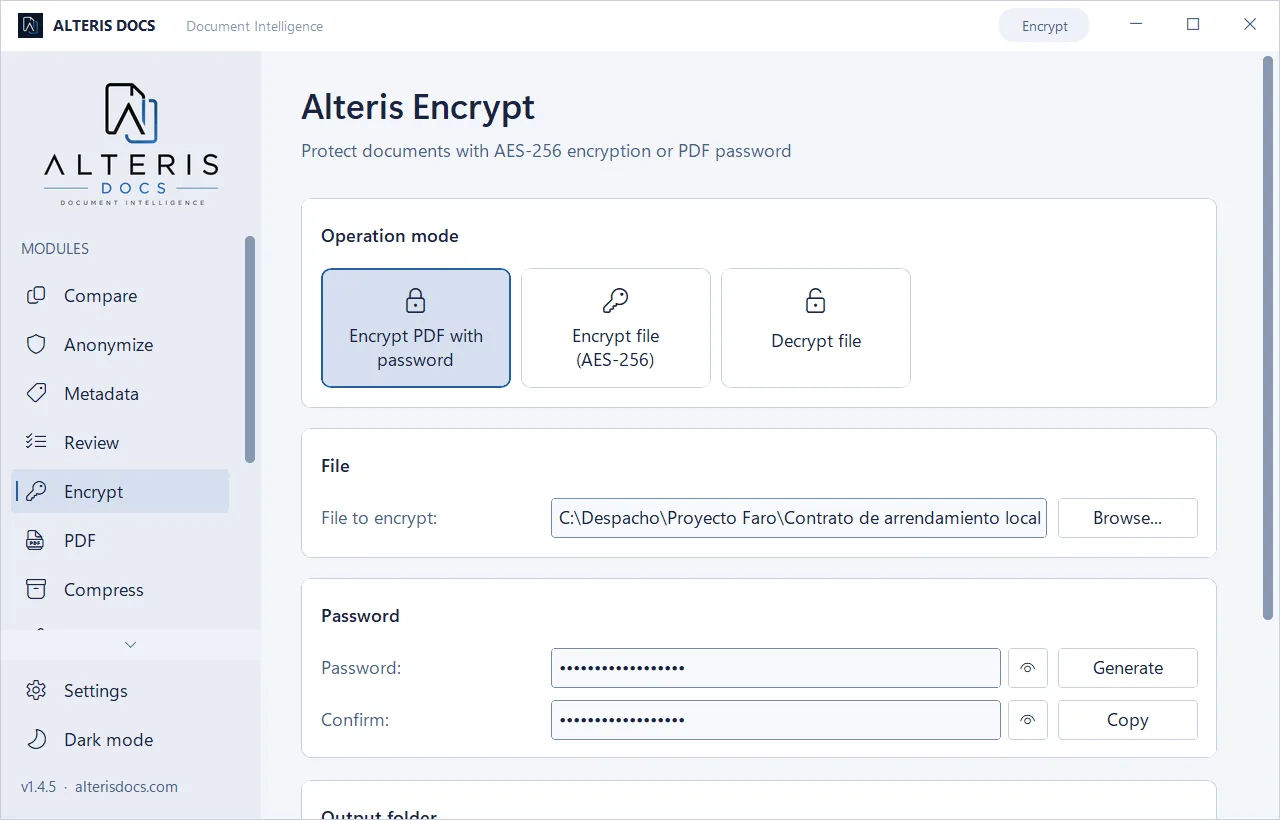
What you can do
- Open password for PDFs, which open in any reader.
- AES-256 encryption for any type of file.
- Decrypt files encrypted with Alteris Docs whenever you need them.
- Strong password generator and a button to copy it.
How it works
Choose the mode
Password for a PDF, encrypt a file or decrypt it.
Type or generate the password
Confirm it to avoid typos.
Click Encrypt
A protected copy is saved in the output folder.
Frequently asked questions
Who can open a password-protected PDF?
Anyone with the password, in their usual PDF reader (Adobe Acrobat, a browser…). They do not need Alteris Docs.
And a file encrypted with AES-256?
It is decrypted with Alteris Docs and the password. Send the password through a different channel from the file.
Do you store my password?
No. The password is not stored and never leaves your computer; if you lose it, it cannot be recovered.
Other modules
Try it with your own documents
Windows 10 and 11. Free plan, no card required. Want to see the professional modules? Ask for a demo at info@alterisdocs.com.