 Alteris Docs
Bates numbering for PDFs and bundles
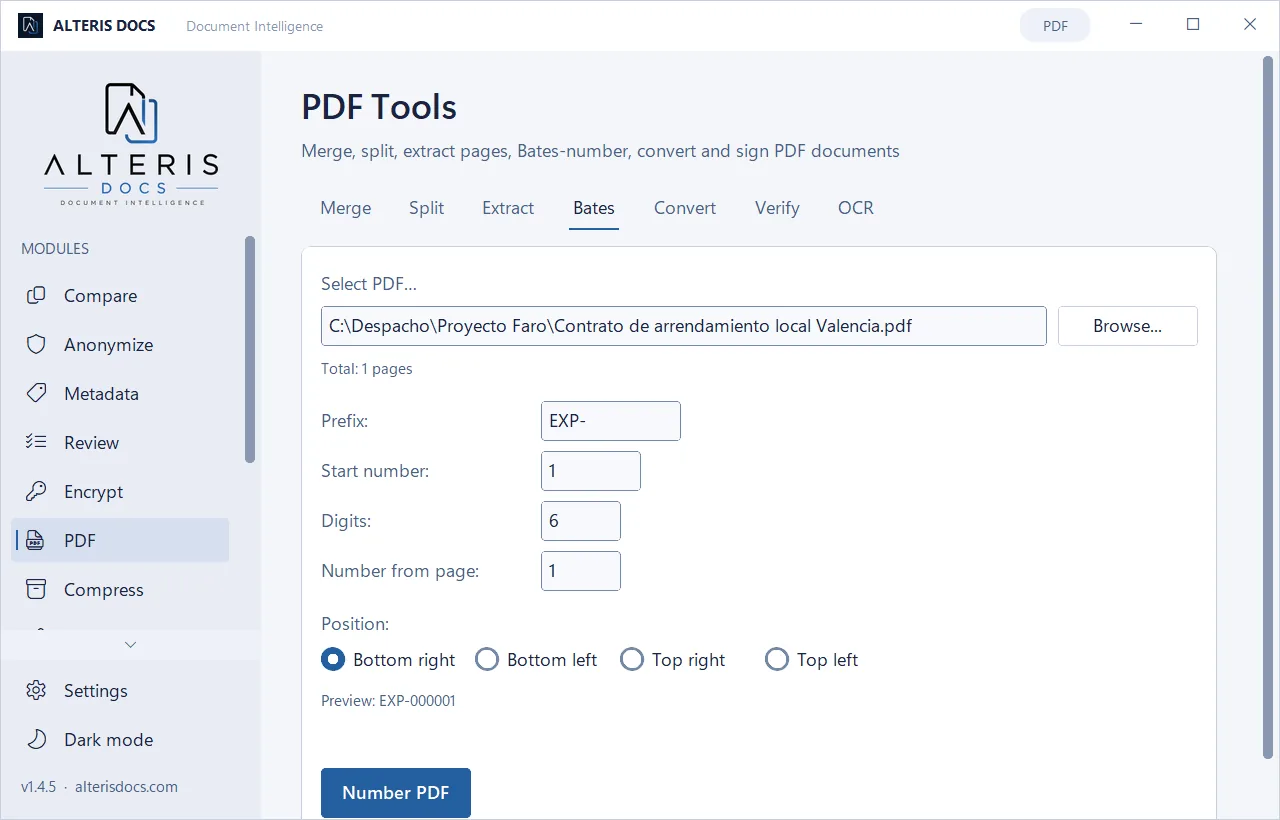
Bates numbering gives every page a unique sequential identifier, such as EXP2026-000001. It is the usual way to cite specific pages in litigation, arbitration, audits and document productions. With Alteris Docs you number a single PDF or a whole bundle, on your own computer.
Everything is processed on your PC: documents are never uploaded to any server.
What you can do
- Your own prefix, starting number and number of digits (1 to 12).
- Choose the page to start from, for example to skip the cover page.
- Stamp in the corner you prefer, with a preview before applying it.
- For a single PDF: the Bates tab in PDF tools.
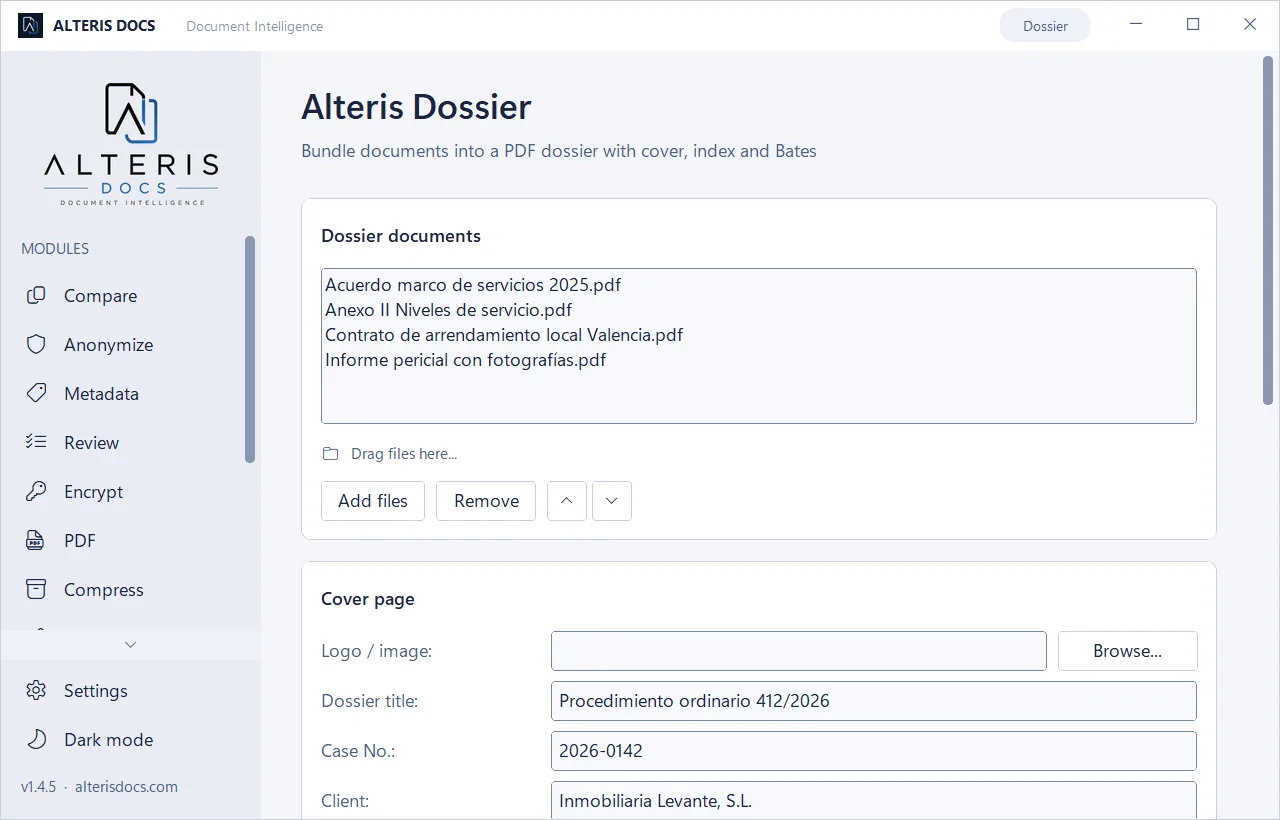
- For several documents: the Dossier module merges them with a cover page, index and continuous numbering.
How it works
Open the Bates tab
In PDF tools, then choose or drag in the PDF.
Set the numbering
Prefix, starting number, digits, start page and position.
Click Number PDF
A new numbered PDF is saved; the original is not changed.
Frequently asked questions
Can I continue the numbering from a previous document?
Yes. Set the starting number to the one after the last you used and the numbering continues from there.
What is the difference between the Bates tab and the Dossier module?
The Bates tab numbers a single PDF. Dossier merges several documents (PDF, Word, Excel or PowerPoint) into a bundle with a cover page and index and numbers them continuously.
Is it included in the free plan?
Yes. PDF tools and Dossier are free modules.
Other modules
Try it with your own documents
Windows 10 and 11. Free plan, no card required. Want to see the professional modules? Ask for a demo at info@alterisdocs.com.